
Plan-managed
If you are plan-managed, add items to your cart. Include the participant's name and NDIS number in the order notes or address field (use the 'Company / NDIS Number')

NDIS
COMPLETE THE ORDER USING THE NDIS PAYMENT METHOD
Once complete, an invoice with payment information will be emailed to you. Email the invoice to your plan manager for payment. We’ll ship when the funds are received.
- Select 'Invoice to NDIS provider' at checkout
- Include the participant's name and NDIS number in the order notes or address field (use the 'Company / NDIS Number')
- Receive downloadable invoice via email
- Once your plan manager pays, we’ll ship your order right away.
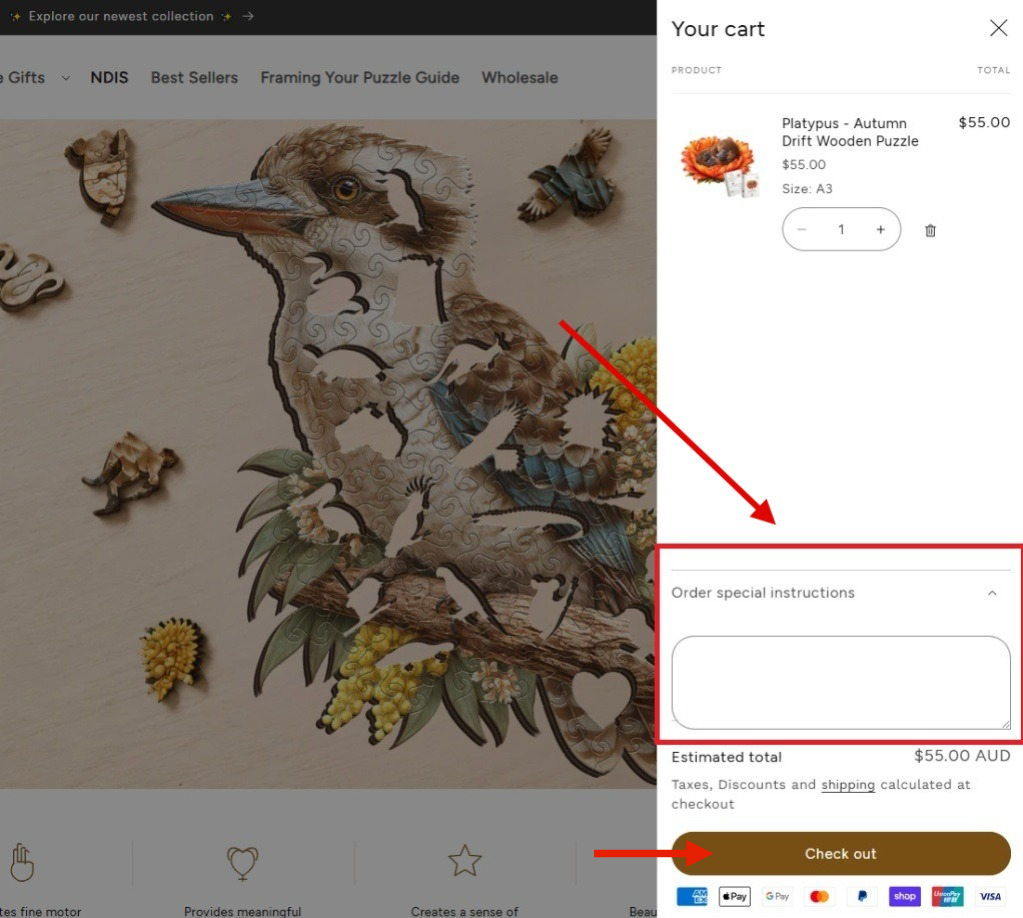
Step 1
In the Cart - Add Your NDIS Details
To include your NDIS details, expand the “Add Order Note” or “Special Instructions” section in your cart.
How to do it:
- Add your product(s) to the cart.
- Open the cart drawer.
- In the Special Instructions field, enter your NDIS details
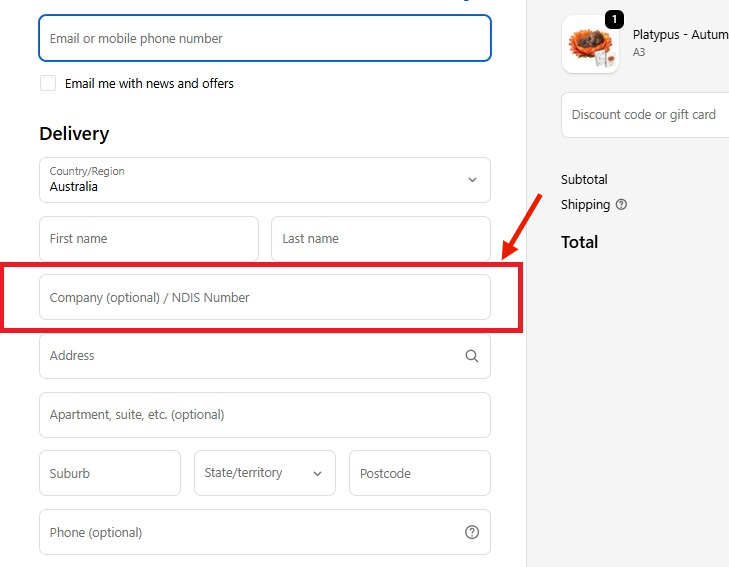
Step 2
In the Checkout
Add details in the ‘Company / NDIS Number’ field.
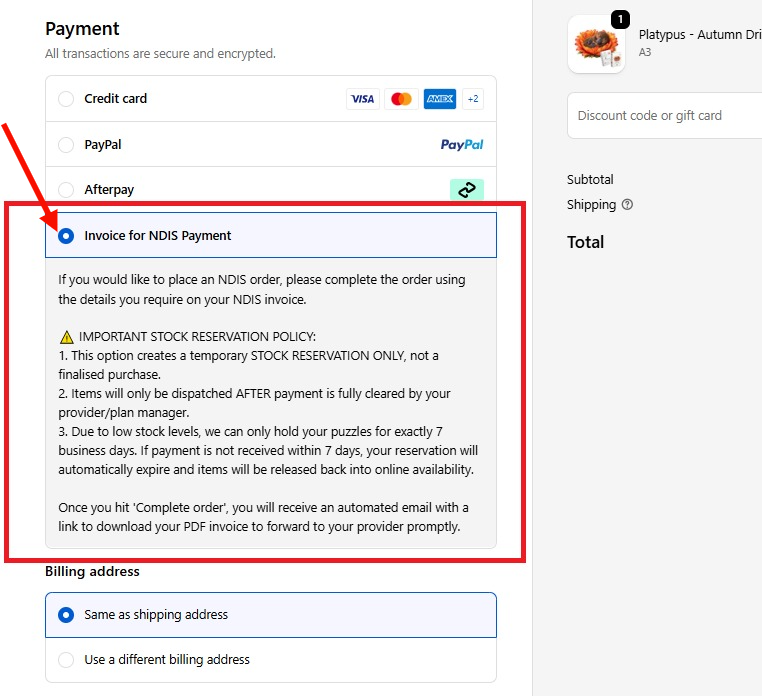
Step 3
Payment Method
Select ‘Invoice to NDIS provider’ on checkout screen.
Need Help?
We’re here to support you. If you have any questions or need guidance with your order, don’t hesitate to reach out—our friendly team is always happy to help:
support@puzzleartaustralia.com